Integrating the water valve with the soil moisture sensor


If you are a keen gardener, you will be well aware of the need to keep you flowers and vegetables hydrated, and of how much time this takes using a watering can. The alternative is to set up an automatic watering system. Automatic watering timers are widely available, but I wanted one that would respond to soil moisture, not just the time of day.

Aims:

• Set up a watering system to respond to soil moisture levels.
• For this we will need an outside tap, hosepipes, leaky pipe or sprinklers. And a water control valve. We will start by building a LoRa connected soil moisture sensor.

Research

Use core instructions on www.loraworkshop.com. 

Field capacity

When to Irrigate

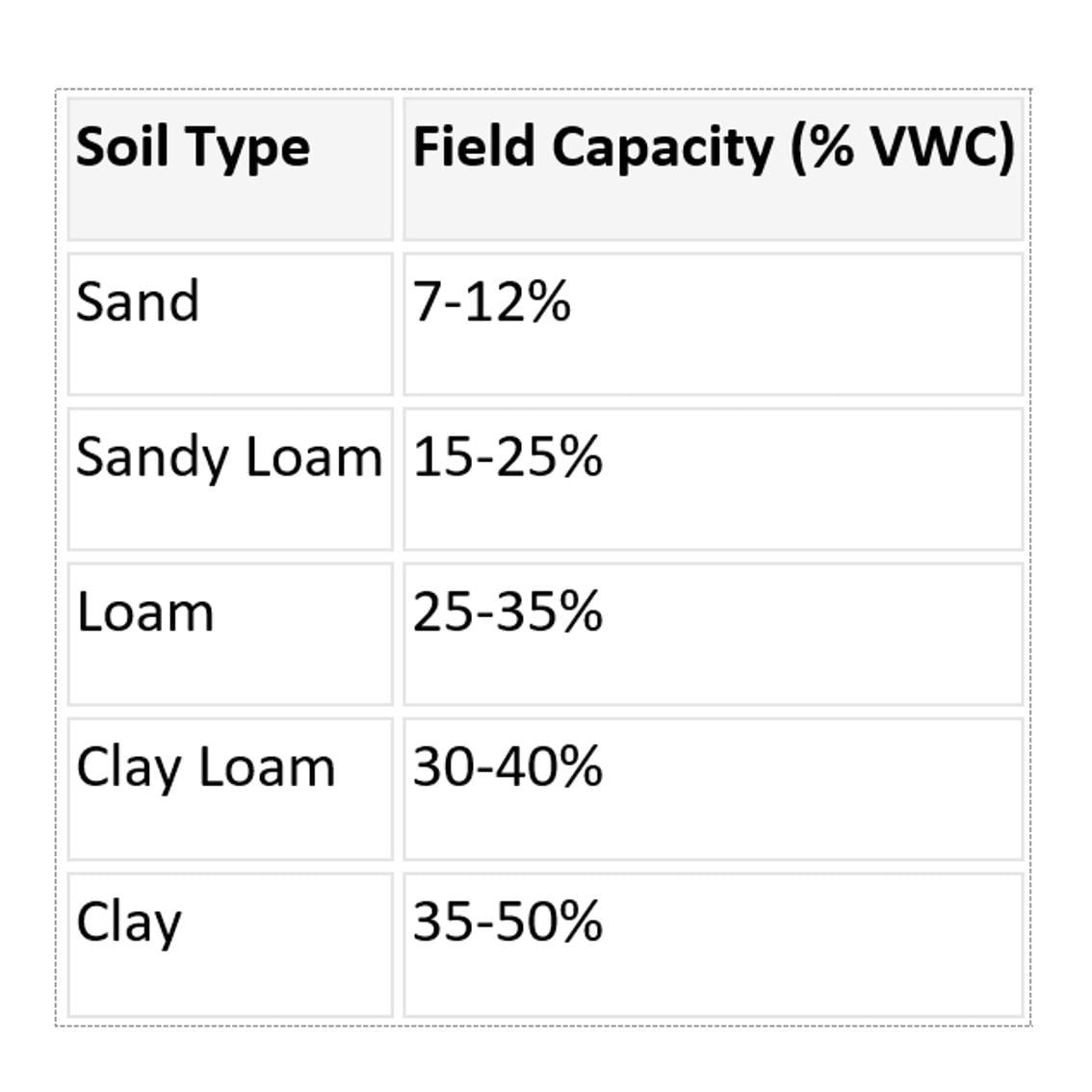
A common irrigation strategy is to irrigate when soil moisture falls to about 50% of available water. For a sandy loam with:
• Field capacity = 22%
• Wilting point = 8%

Available water = 22 − 8 = 14%
50% depletion point = 22 − (14 × 0.5) = 15% VWC

So in practice:
22% VWC ≈ field capacity
15% VWC ≈ irrigation trigger
8% VWC ≈ wilting point

For sandy loams, we need to water when the soil moisture drops below 15%
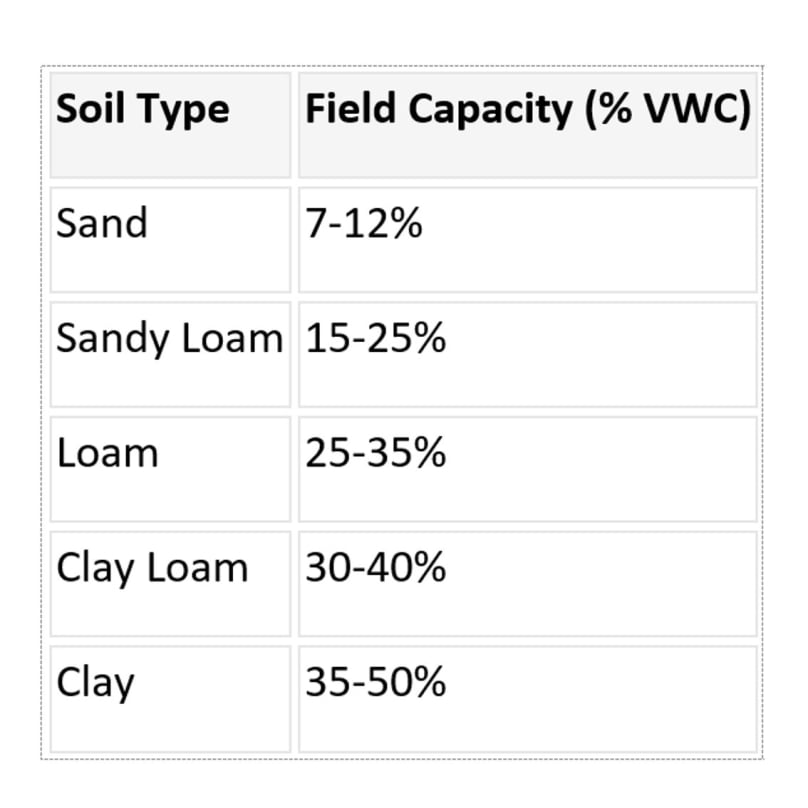
Use this chart to determine the irrigation trigger for your soil type.
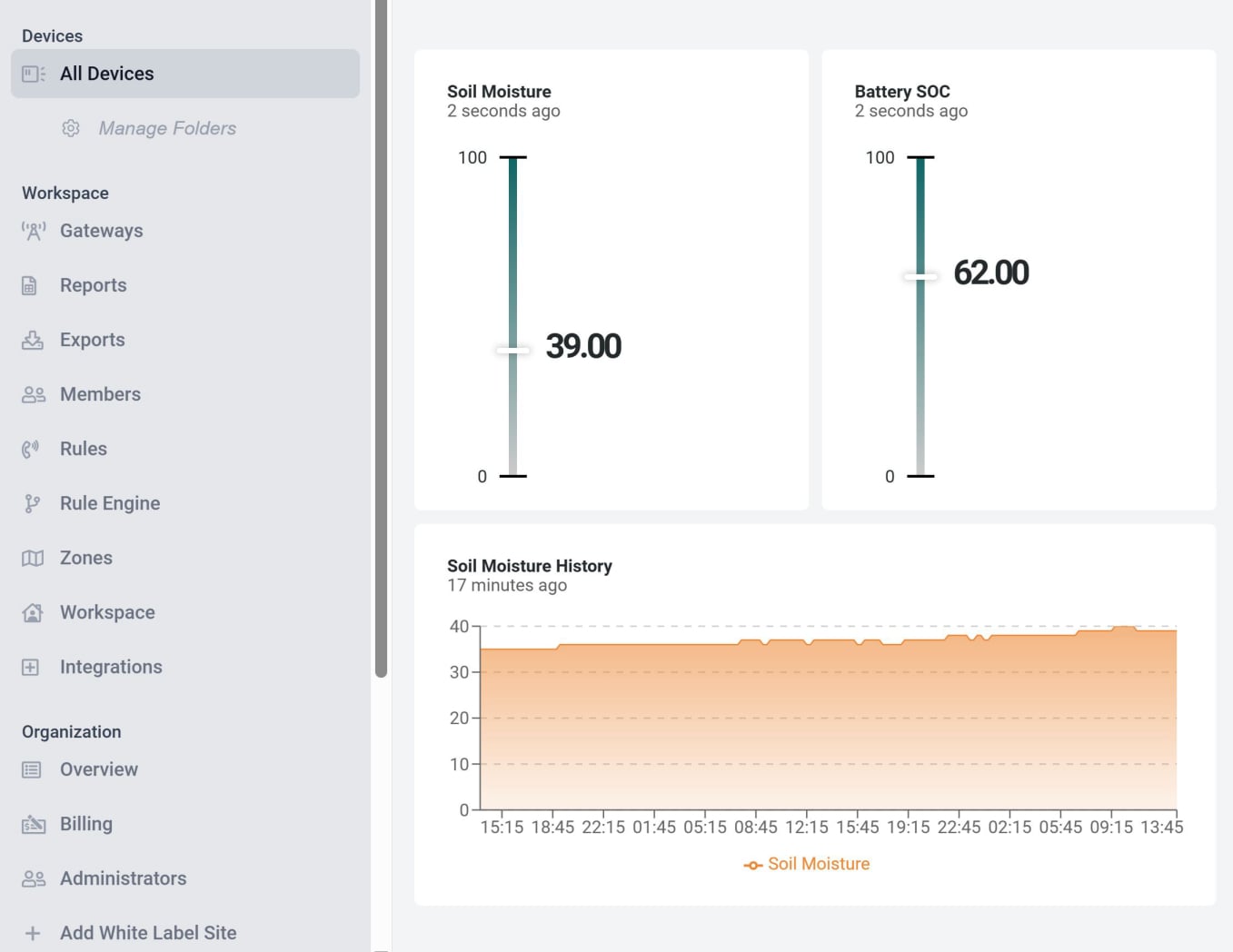

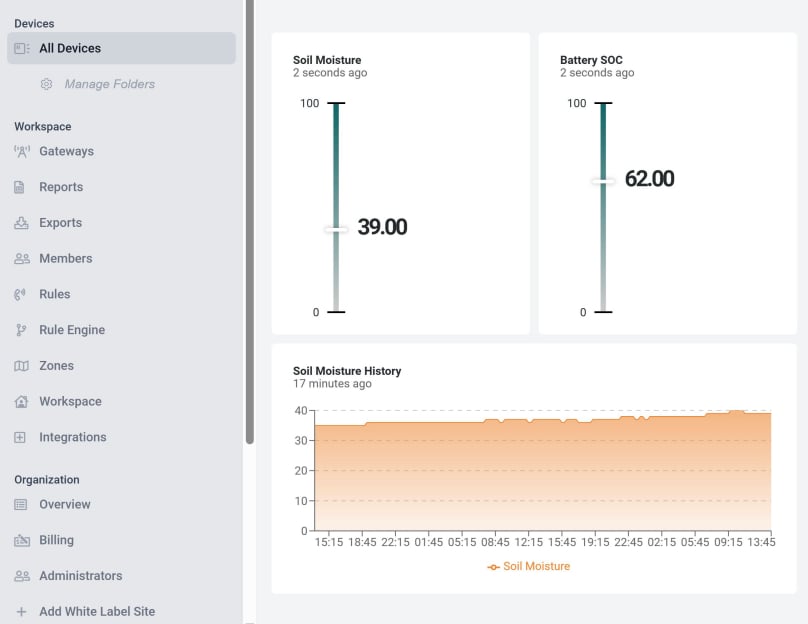
soil moisture display

If you have been following the tutorials Installing an Automatic Watering System and Part 2: Building the Water Control Valve you will now have a working soil moisture sensor and a LoRa connected water valve. We shall now link the two to set up our automatic watering system.

We shall control our water valve using data sent from the soil moisture sensor.

Follow the tutorials to link the soil moisture sensor to Datacake.


Datacake valve display

Now follow the tutorials to link the water valve with Datacake and configure downloads.


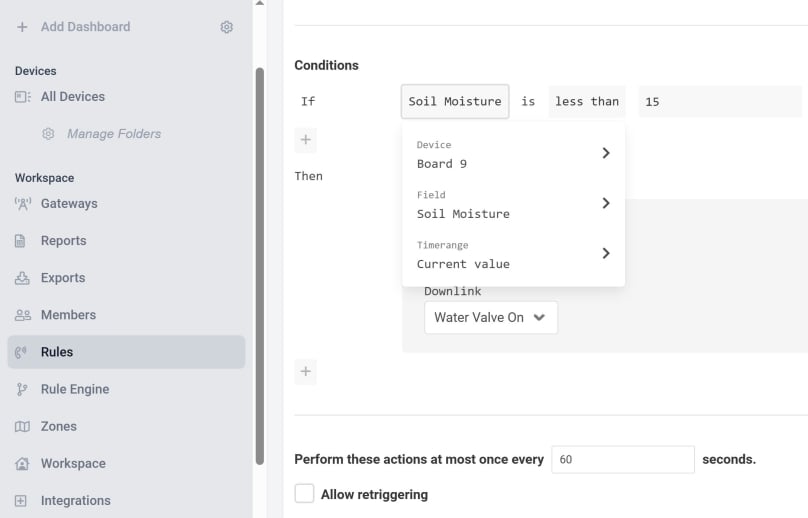
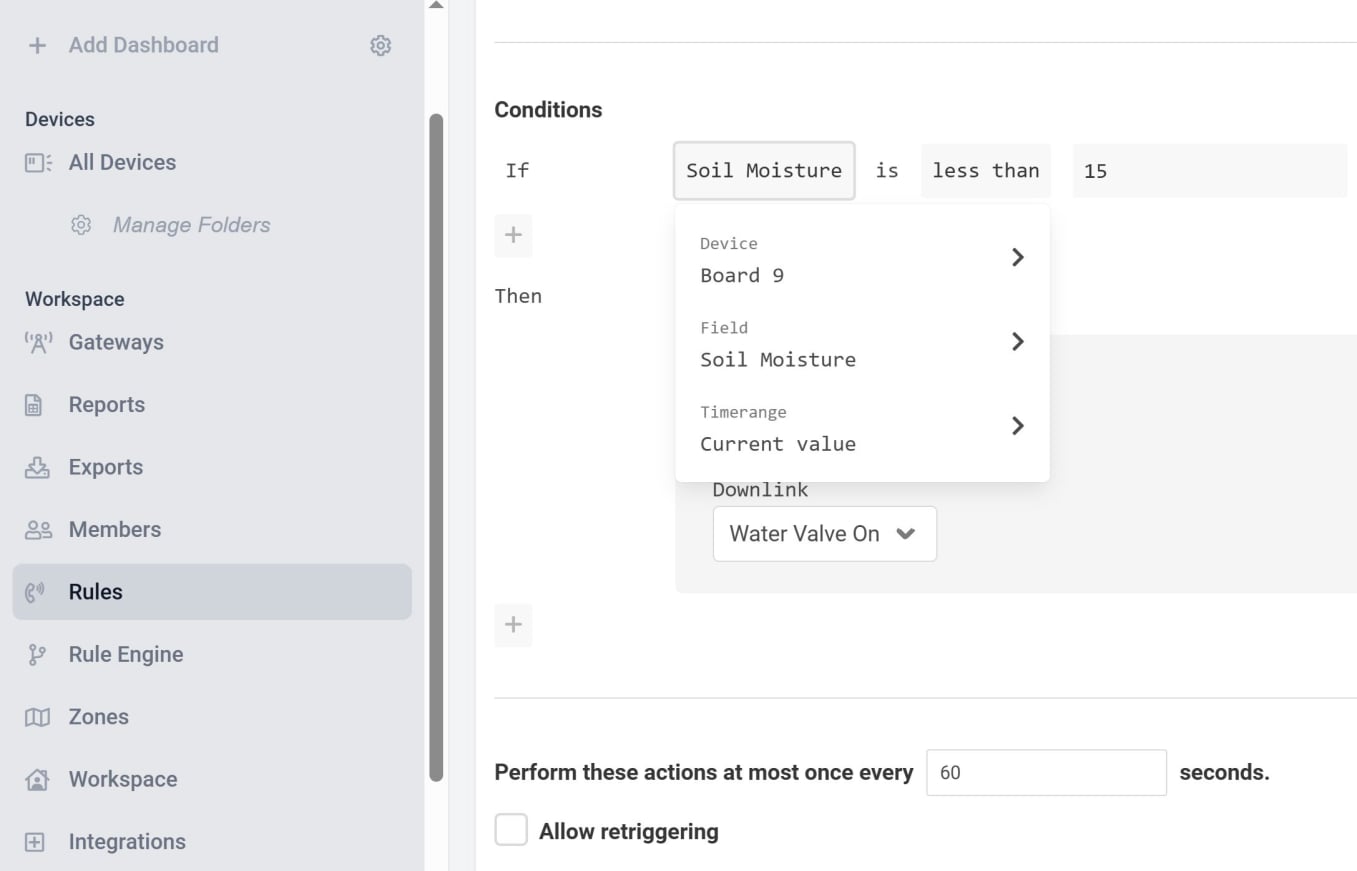
Select soil moisture board

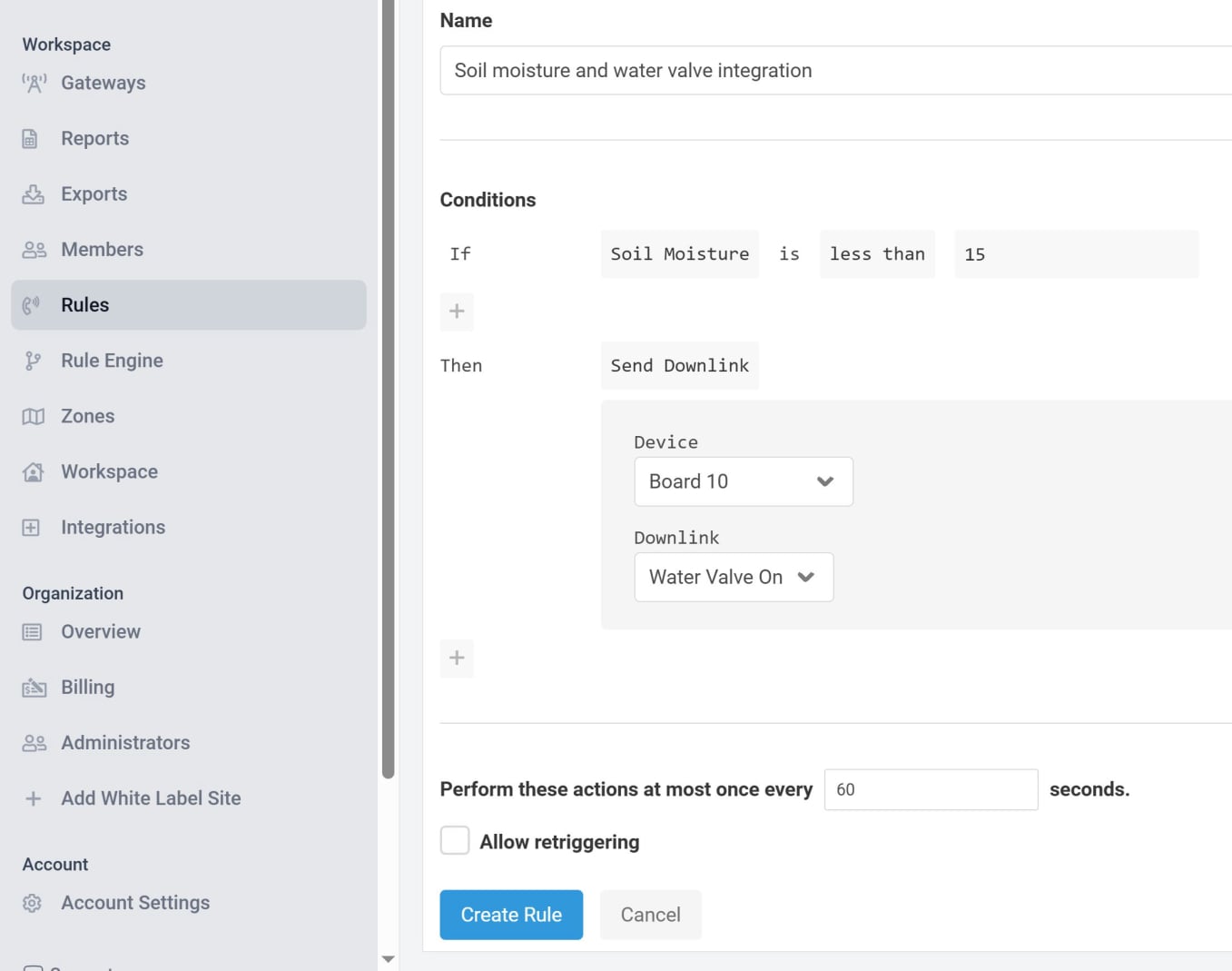
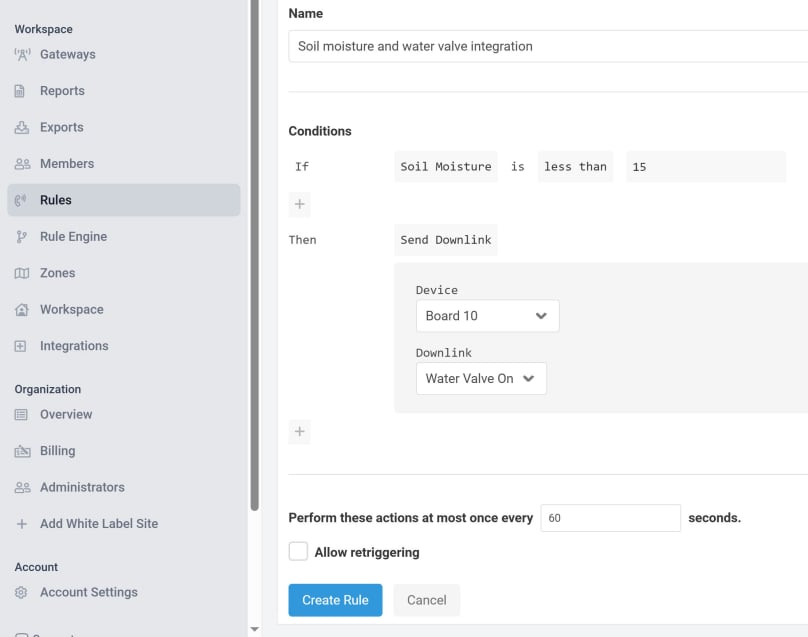
In your Datacake account, look in the left hand menu for Rules and click on it. Then click the blue Add rule button. Give the new rule a name. I have called mine Soil moisture and water valve integration.

For the If condition, I have selected the board for the soil moisture sensor, the field soil moisture and its current value. I have given the hysteresis a value of 2, but if we only check soil moisture once an hour, this probably doesn’t matter too much.


Select water valve board

For the Then condition, I have selected Downlinks and then the name of the board in the water valve and the name of the downlink.


Click Create Rule and everything should be ready to go. Provided the water valve is attached to a tap and an irrigation device, and the soil moisture sensor is in position, then all you need to do is turn on the tap.

Happy watering and happy plants. 

© Copyright 2025 Dr Dulcamara - All Rights Reserved